Transfer · Project
Transferring tokens from the launch wallets
Sidebar → Project → Transfer. Sends a set number of tokens from each chosen buy wallet to an address, each wallet paying its own gas.
Screenshots come from the current frontend running in a headless browser. The server, the chain and the browser wallet were simulated, so addresses and transaction hashes are placeholders. Token amounts were calculated from the pool above, so the numbers agree from page to page.
Transferring, step by step
- Tick the wallets to send from.
- For each ticked row, enter the Address to transfer to and the number of Tokens to transfer (whole tokens, for example
10000000). - Press Transfer and wait for the notice.
- Check the balances afterwards (see below).
What to watch for
- Every ticked wallet needs ETH for gas. The page refuses to send from a wallet showing 0 ETH, or more tokens than a wallet holds. If something still fails on the chain, the other rows go ahead and the result names the wallet that didn't.
- Target Wallet is not used by Transfer. It's only for Collect All ETH. Each row's own address is where its tokens go.
The page, top to bottom
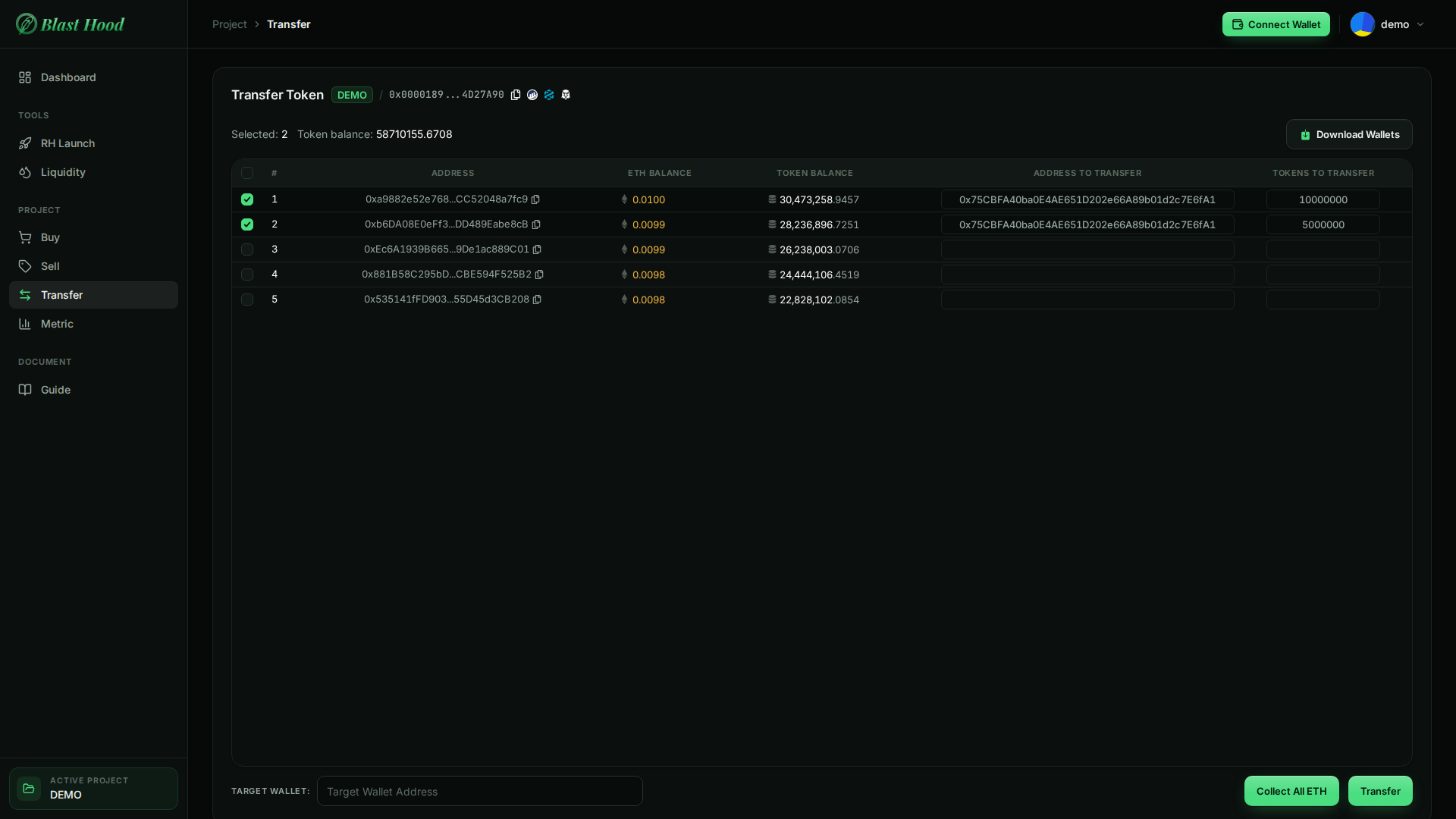
Filling in the transfers
- Each row sends its own amount to its own recipient; rows can go to different addresses.
- Amounts are whole tokens; the page converts them using the token's decimals.
- Collect All ETH and Download Wallets work as on the Sell page.



Checks and result
Per walletBefore sending, the page checks each row against the balances shown: an amount above the wallet's tokens, or a wallet with no ETH, is refused with the wallet's number.
After the transfer, the notice counts the rows sent and names any skipped or failed, with the reason.